Activity log: Tracking changes in foratable
- Track reservation changes and see when actions were performed and by which team member
- Check the history of individual reservations directly via the reservation view or, on the Professional Plan, via the floor plan
- Configure your team members and permissions correctly so that actions in the activity log can be clearly attributed
With the Activity Log In the foratable application, you can track exactly what happened in the system and when.
You can also think of the activity log as a history log. It helps you track changes transparently and see which team member performed which action.
To ensure this information is correctly attributed, it is important that your team members and permissions are properly configured.
A. Activity log
The complete Activity Log section directly in the foratable application menu.
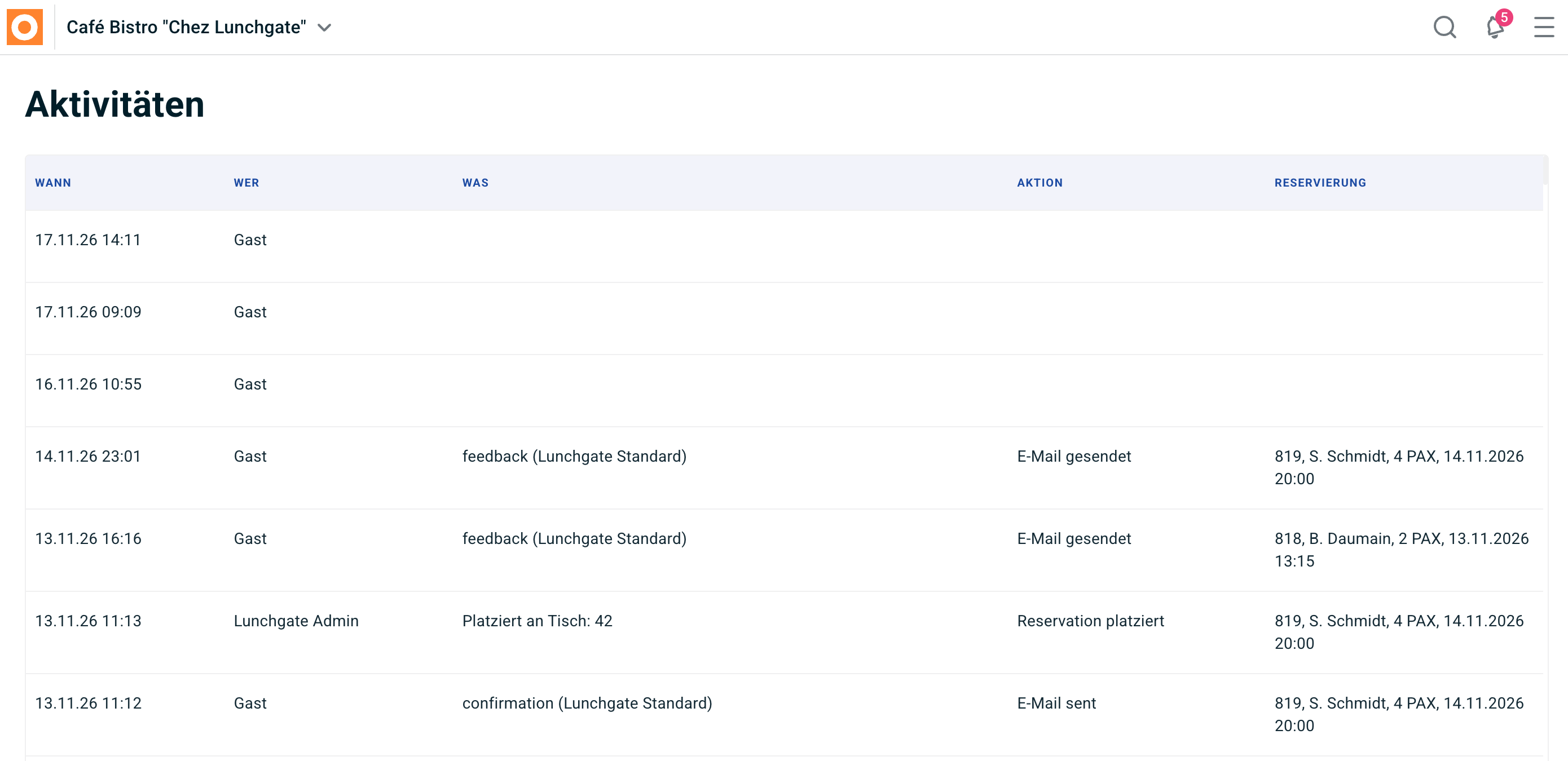
There, you can see the following information, among other things:
- When
- Who
- What
- Action
- Reservation
This allows you to track, for example, when a reservation was created, modified, or cancelled, and which team member made the change.
B. History of an individual reservation in the Professional Plan
Would you like to see which actions have already been taken for a specific reservation?
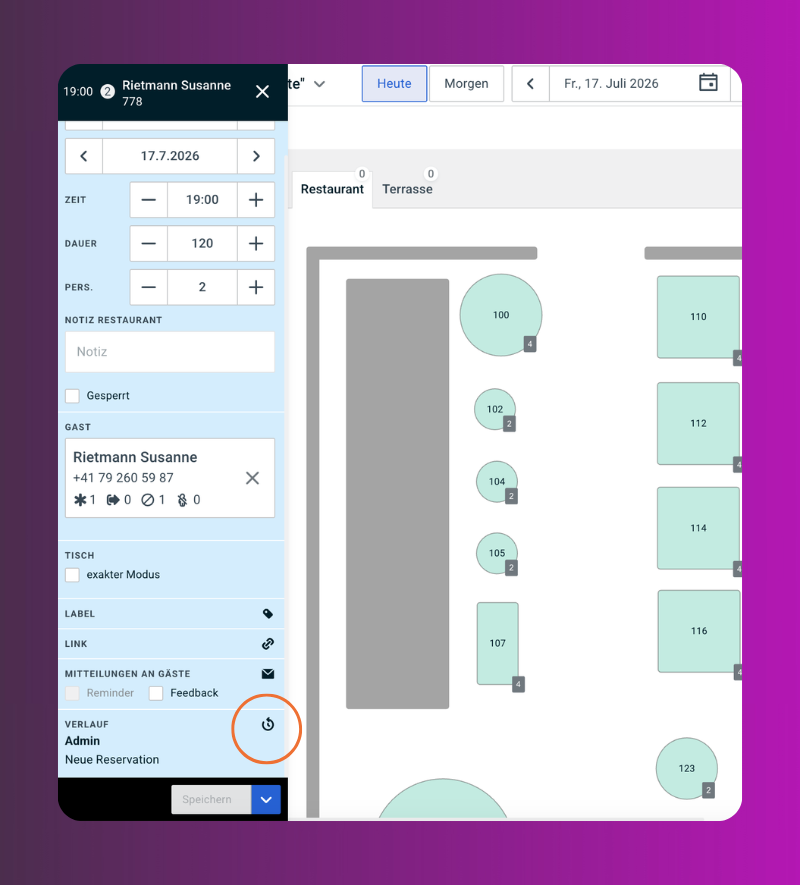
In the Professional Plan you can do this directly via the floor plan:
- Open the desired reservation in the floor plan.
- The reservation window will open.
- Click at the bottom on history.
There, you will see the activity log for this specific reservation only.
This allows you to quickly track what changes have been made to this reservation.
C. History of an individual reservation via the reservation view
The history of an individual reservation can also be opened directly via the Reservations view.
This option is available to both Basic and Professional customers.
- Open the Reservations.
- Search for the desired reservation.
- Click directly on the reservation or on the three dots next to the pencil icon.
- Open the Activity Log of the reservation.
You will see all logged actions related to this reservation below.
Our recommendation
Use the activity log especially when:
- changes to a reservation are unclear
- multiple staff members are working with the same reservation book
- you want to track who performed an action
- a reservation has been cancelled, reactivated, or adjusted
The more accurately your team is set up in foratable, the more helpful the activity log will be for daily tracking.