IVR: Confirm online reservation requests by phone
- IVR allows you to accept or decline specific online reservation requests from the widget via phone.
- IVR kicks in when the reservation deadline has passed or the online quota is exhausted is
- Via Press 1, 2, or 3 to accept the request, decline it, or block the shift.
IVR is available starting from the foratable Basic plan.
With IVR (Interactive Voice Response) allows you to review additional online reservation requests from your booking widget by phone and accept or decline them directly.
IVR is used when a reservation can no longer be confirmed automatically online because:
- the reservation deadline for a shift has passed or
- the defined online quota is exhausted is.
Instead of declining the request automatically, foratable calls your restaurant, giving you the opportunity to decide for yourself.
A. How IVR works
The guest starts their reservation as usual via your foratable booking widget.
If a reservation cannot be confirmed immediately due to the booking deadline or online availability, foratable will trigger an IVR call to your restaurant.
You can then respond using your phone keypad:
- Key 1: Accept reservation
- Key 2: Decline reservation
- Key 3: Block shift
If accepted, the reservation is recorded directly in foratable.
With Key 3 allows you to block the shift if you do not wish to accept any further reservation requests for that service. If you would like to hear how the IVR announcement sounds to your guests, you can play the demo directly in foratable under Configuration → Schedule → IVR .
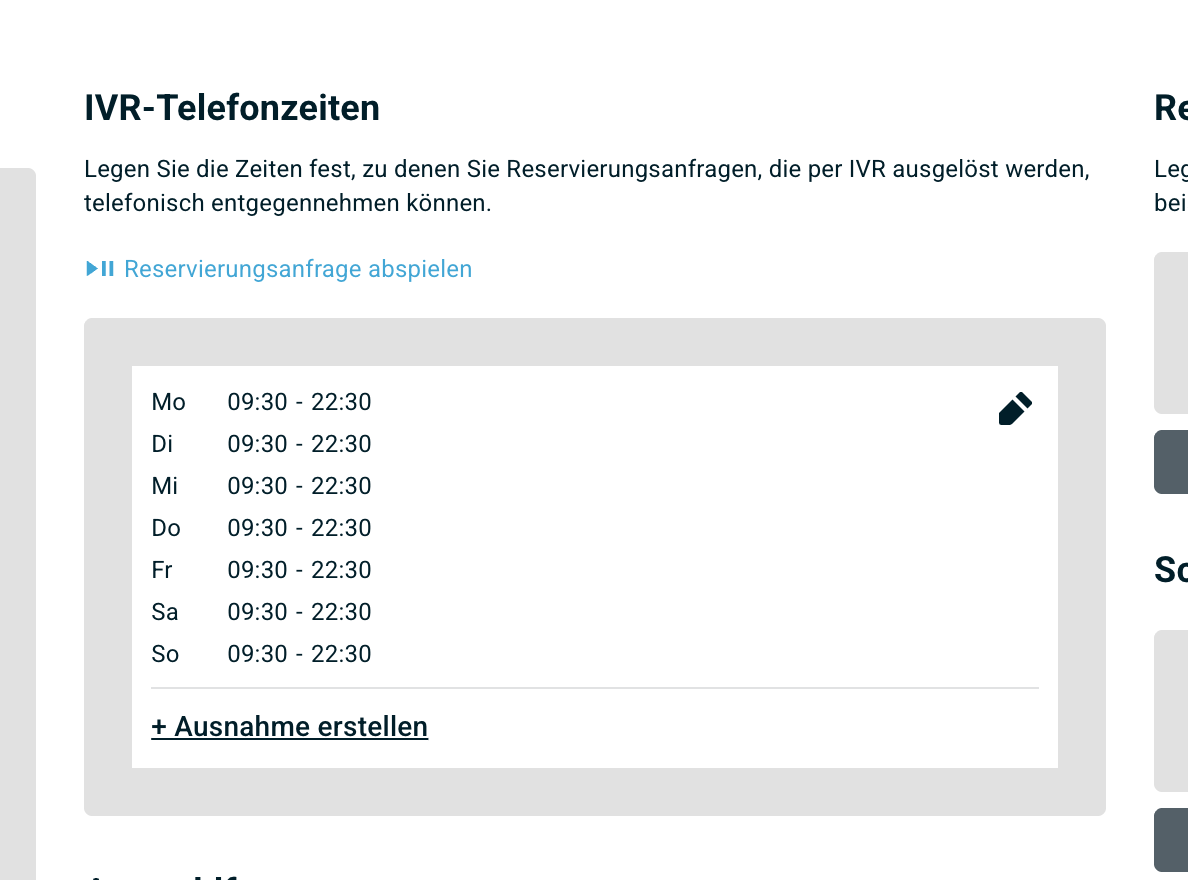
B. Activate IVR
IVR is activated for the desired Shifts .
You can find the settings under:
Configuration → Schedule
Additionally, you can define your IVR phone hoursthere. This allows you to specify the times during which foratable is permitted to contact your restaurant by phone regarding an online request.
IVR applies exclusively to reservation requests made via your booking widgetoften come in over the phone.
C. Which phone number is required?
Provide a phone number that is answered directly by a person.
Numbers are not suitable if they first:
- play an automated announcement
- a hold queue starts
- another voice menu needs to be navigated
In these cases, the automated IVR call cannot reach your team correctly.
D. What happens with missed calls?
If an IVR call is not answered, foratable will try to reach your restaurant again.
After two missed calls the reservation request is declined and IVR is paused completely.
E. What if the keypad input doesn't work
When pressing keys 1, 2, or 3 your phone generates so-called DTMF tones. These signals are transmitted to foratable and trigger the selected action.
If these tones are not transmitted correctly, the system will not respond to your input.
Possible causes include:
- incorrect telephone system settings
- an unstable or slow internet connection
- poor reception on DECT devices
- router or firewall not prioritizing VoIP sufficiently
- a weak telephone signal
Check settings
Check the following points in particular:
- Under DTMF is RFC 2833 selected.
- G.711 is set as the highest priority codec for both incoming and outgoing calls.
- The telephone signal is set to a sufficiently strong level.
- The phone number is not suppressed.
If the problem persists, please contact your telephone provider or IT partner.
Our recommendation
IVR is particularly helpful if you want to remain flexible even after your regular online availability has ended.
This allows you to accept additional last-minute reservations without having to generally increase the reservation limit or online capacity for a shift.