Manage and evaluate feedback
- Automatically collect genuine guest reviews after their visit and receive feedback on service, cuisine, ambiance, and value for money.
- Manage and respond to feedback centrally in foratable and decide whether your responses should be displayed publicly or privately.
- Filter and export your feedback to identify recurring criticisms, trends, and potential areas for improvement in your restaurant.
The feature Feedback view is available in both the Basic Plan and the Professional Plan.
You can also view feedback as reviews from your guests. It helps you better understand how guests perceived their visit and where there is room for improvement.
Prefer a video?
→ To the webinar: Feedbacks (in German)
A. What do your guests rate?
After their visit, your guests can rate various aspects of your restaurant:
- Service
- Cuisine
- Ambience
- Value for money
Additionally, they can leave a comment.
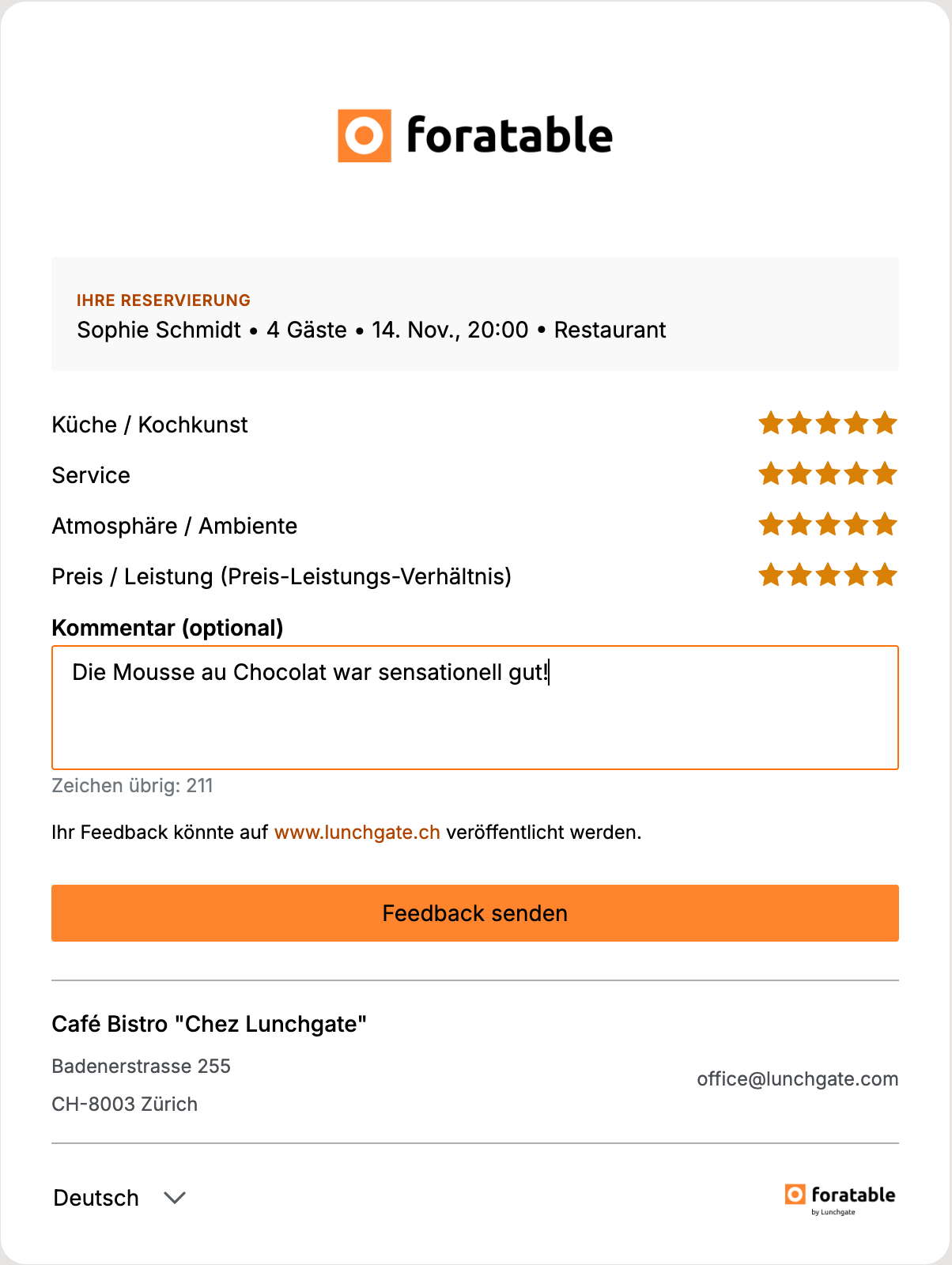
This way, you receive not only a numerical rating but often specific feedback about their experience as well.
B. When do guests receive the feedback request?
The feedback request is sent automatically after the restaurant visit.
3 hours after the reservation ends, the guest receives an email with the option to rate their stay.
To see what this email looks like and how you can personalize it, click here or here in this webinar.
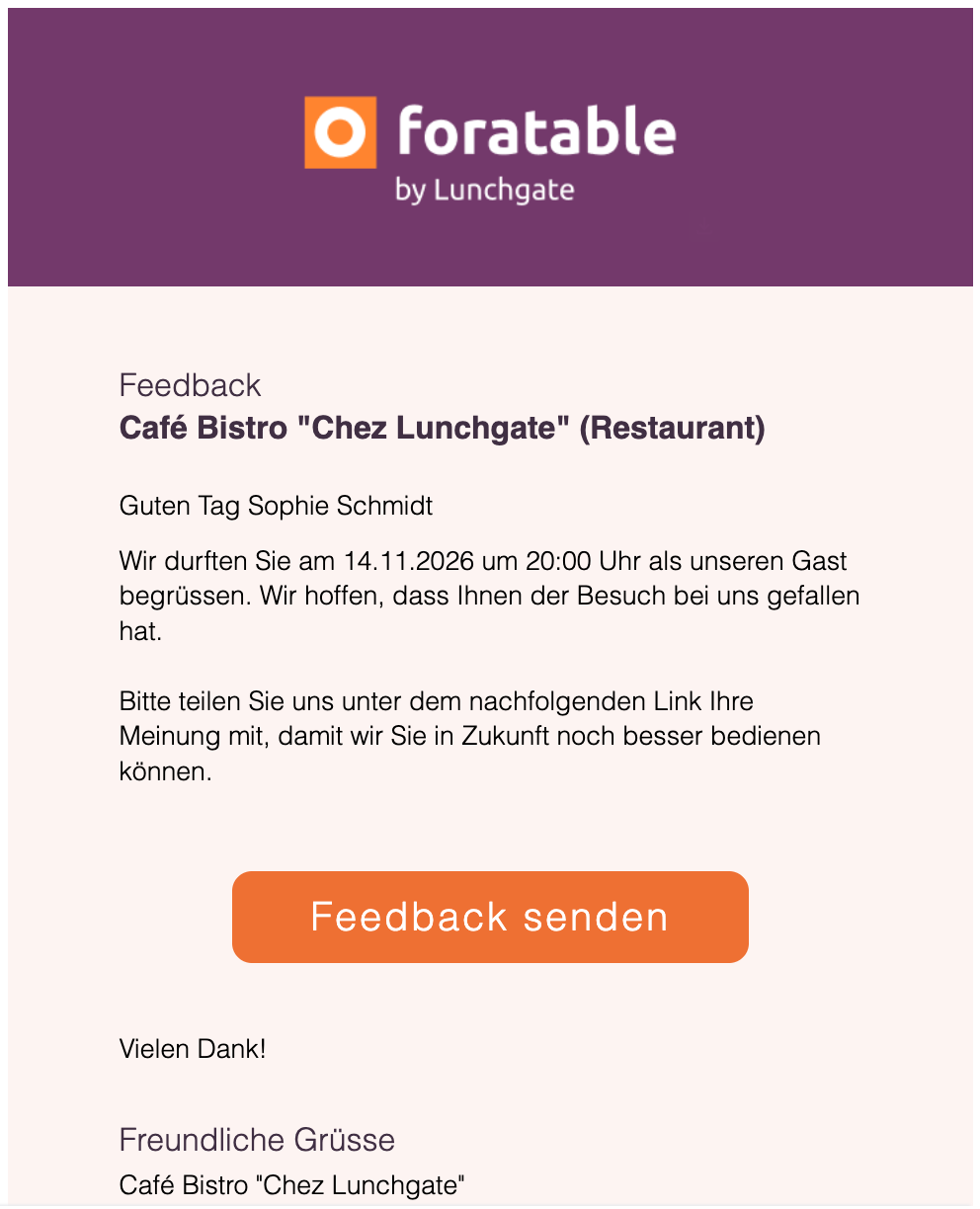
To ensure regular guests don't receive the same request too often, the feedback email is sent per guest a maximum of once per month.
C. Where is the feedback displayed?
Your guests' feedback is published on your restaurant profile on Lunchgate.ch .
If you have also integrated the feedback onto your own website, it will be displayed there as well.
This way, reviews can not only be used internally but also help future guests when choosing your restaurant.
D. Swiss Guest Award
With the feedback collected via foratable, restaurants in Switzerland automatically qualify for the annual Swiss Guest Award.
Guest reviews are used to recognize top-rated restaurants.
→ Go to the webinar: Swiss Guest Award (in German)
E. Managing feedback in foratable
You can find the Feedback section directly in the foratable application menu.
There, you will get an overview of all received reviews.
To find specific feedback more quickly, you can use various filters.
You can filter by:
- Time period
- Publication date or reservation date
- Feedback with or without comments
- feedback that has already been answered or is still pending
For example, you can specifically display all unanswered comments from the last few weeks.
F. Responding to feedback
Via theblue message box you can reply directly to feedback.
You can decide whether your response should be:
- displayed publicly
- ornot published publicly
We recommend responding to feedback that includes comments in particular – whether it is criticism or positive feedback.
This shows your guests that their feedback is being heard.
G. Automating feedback responses
Responding to feedback can quickly become time-consuming in day-to-day operations, especially if your restaurant receives a lot of reviews.
Some restaurants therefore already rely on reputation management tools, which help to manage reviews centrally and partially automate responses.
Feel free to check our Marketplace to see which tools foratable is already integrated with.
Depending on your business, this can save you additional manual effort and help you organize your review management more efficiently.
H. Exporting feedback
A particularly interesting feature is the export of your feedback.
For example, you can export reviews from a specific period and then analyze them.
This can help you identify recurring patterns:
- Is the service praised particularly often?
- Is there recurring criticism regarding specific processes?
- Which dishes are mentioned particularly positively?
- Are there changes in the perception of value for money?
This turns individual reviews into concrete insights for your business.
I. Using feedback internally
Feedback shouldn't just stay in foratable.
Share relevant feedback with your team as well.
Positive feedback in particular is valuable:
- Praise for the kitchen should be passed on to the kitchen team.
- Positive feedback about the service motivates your service team.
- Recurring points of criticism can be analyzed and improved upon together.
This turns feedback into an important tool for the continuous development of your restaurant.
Our recommendation
Check your feedback regularly and, in particular, respond to comments promptly.
Use the filter and export options to look not just at individual reviews, but also to identify trends and recurring themes .
As volume increases, integrated reputation management tools can help reduce the workload and process responses in a more structured way.
The more consistently you evaluate guest feedback and share it with your team, the better you can improve the guest experience in the long term.
! Requesting feedback removal !
Our feedback comes from real guests who have visited your restaurant. For this reason, critical or negative reviews are generally not deleted. Transparency is a key component of our feedback system, and individual critical reviews also contribute to the credibility of the ratings.
Deletion is possible in the following cases:
- The guest would like to have their own feedback removed and you can provide us with their consent for deletion provide.
- The feedback violates basic rules of conduct, for example through insults, harassment, discrimination, hate speech, or other inappropriate content.
If you would like to have feedback reviewed or deleted, you can contact our support team.
Important: Negative feedback alone is not grounds for deletion. In this case, we recommend that you respond directly to the review and address the guest's feedback transparently.